Dental clinic management software

From booking

Manage online booking, patient records, dental charts, notes and payment tracking in one place.

14 days free. Then US$28 a month for one clinic and its whole team.

Your desk, in Perla.

  • Tooth chart became Dental charts
  • Desk phone became Online booking
  • Intake clipboard became Intake forms
  • Appointment book became Schedule
  • Patient folder became Patient records
  • Recorder became Scribe drafts
  • Calculator became Payment tracking
  • Staff badge became Team logins

The same clinic on your phone.

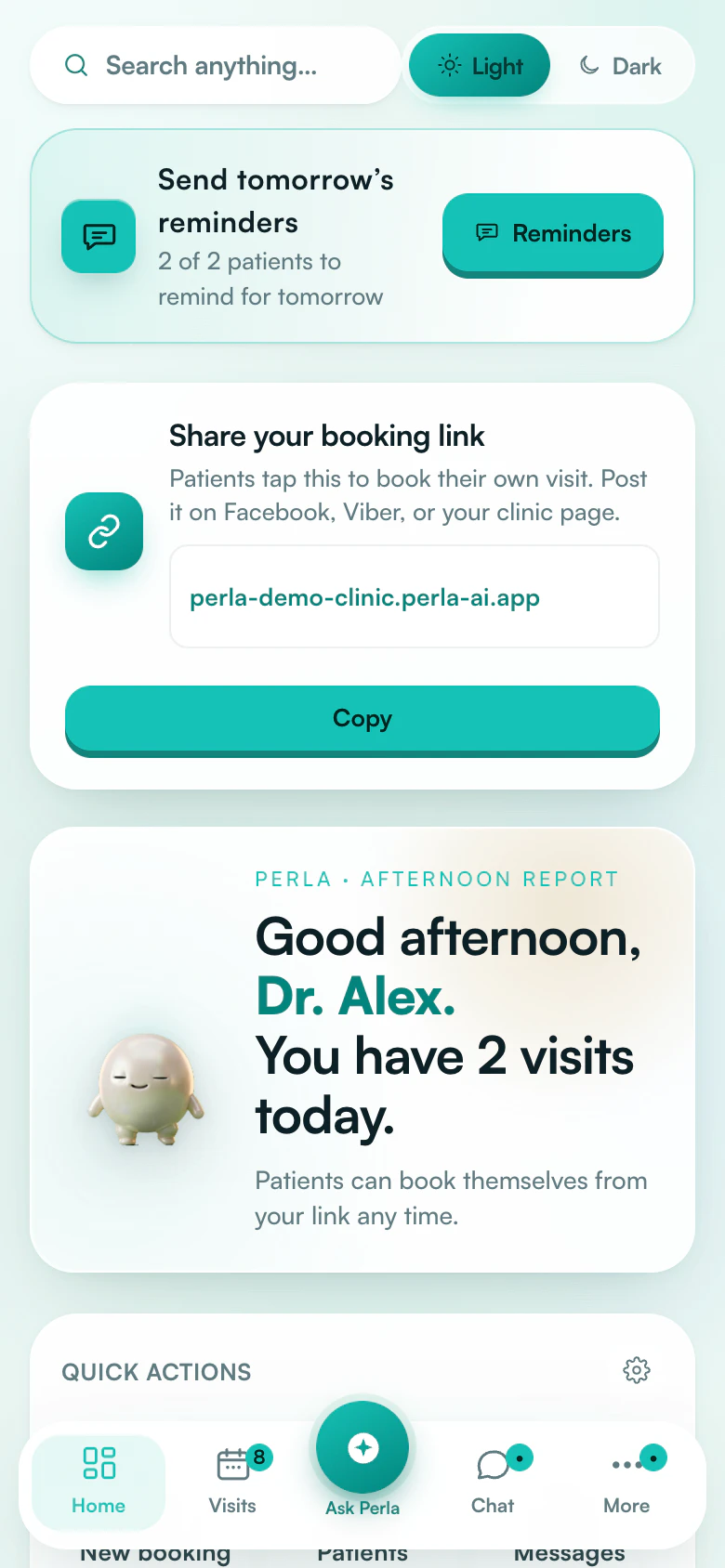
See today’s visits, the schedule and the dental chart.

On screen: Perla’s web app at phone width, redrawn Fictional demo data

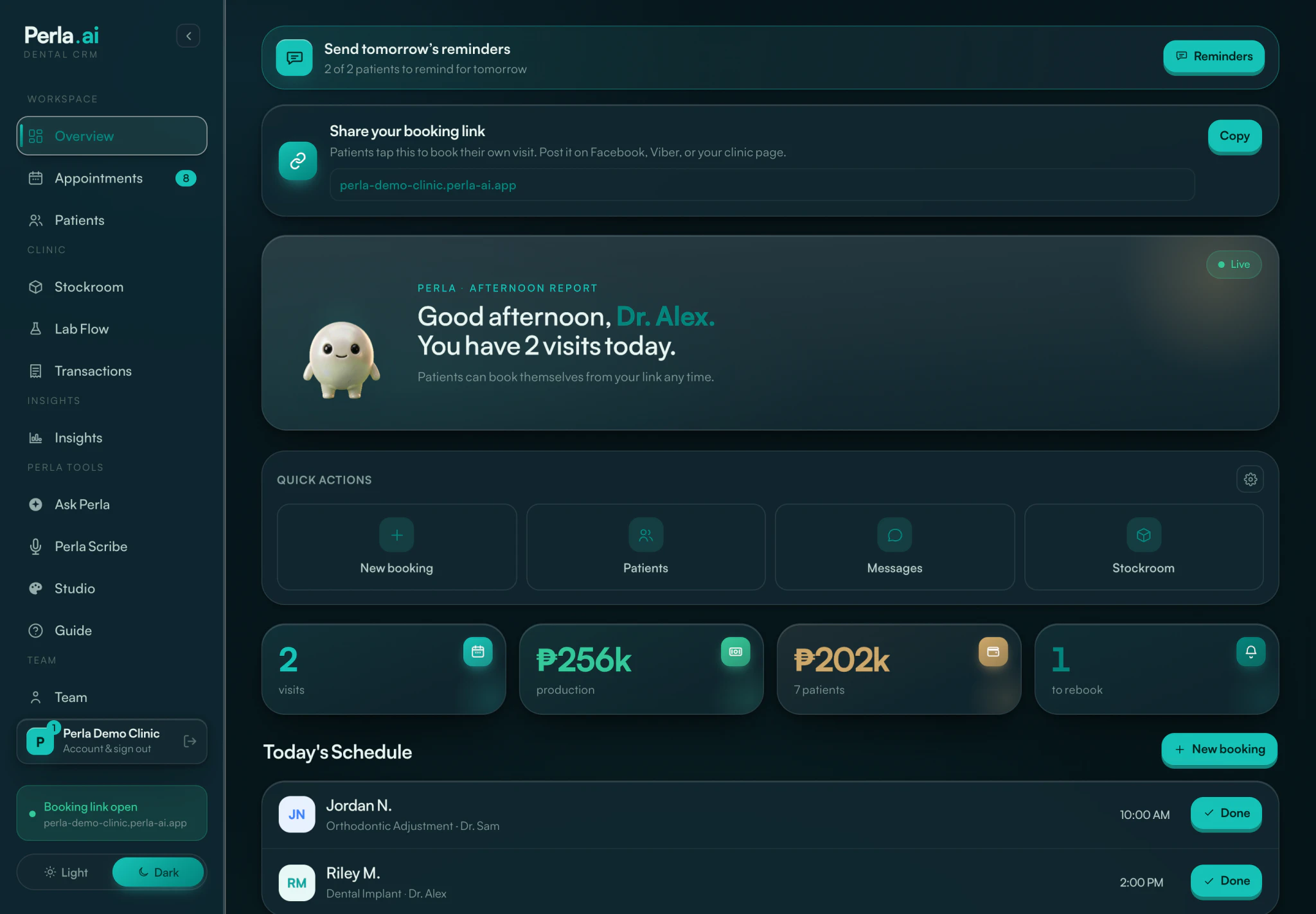
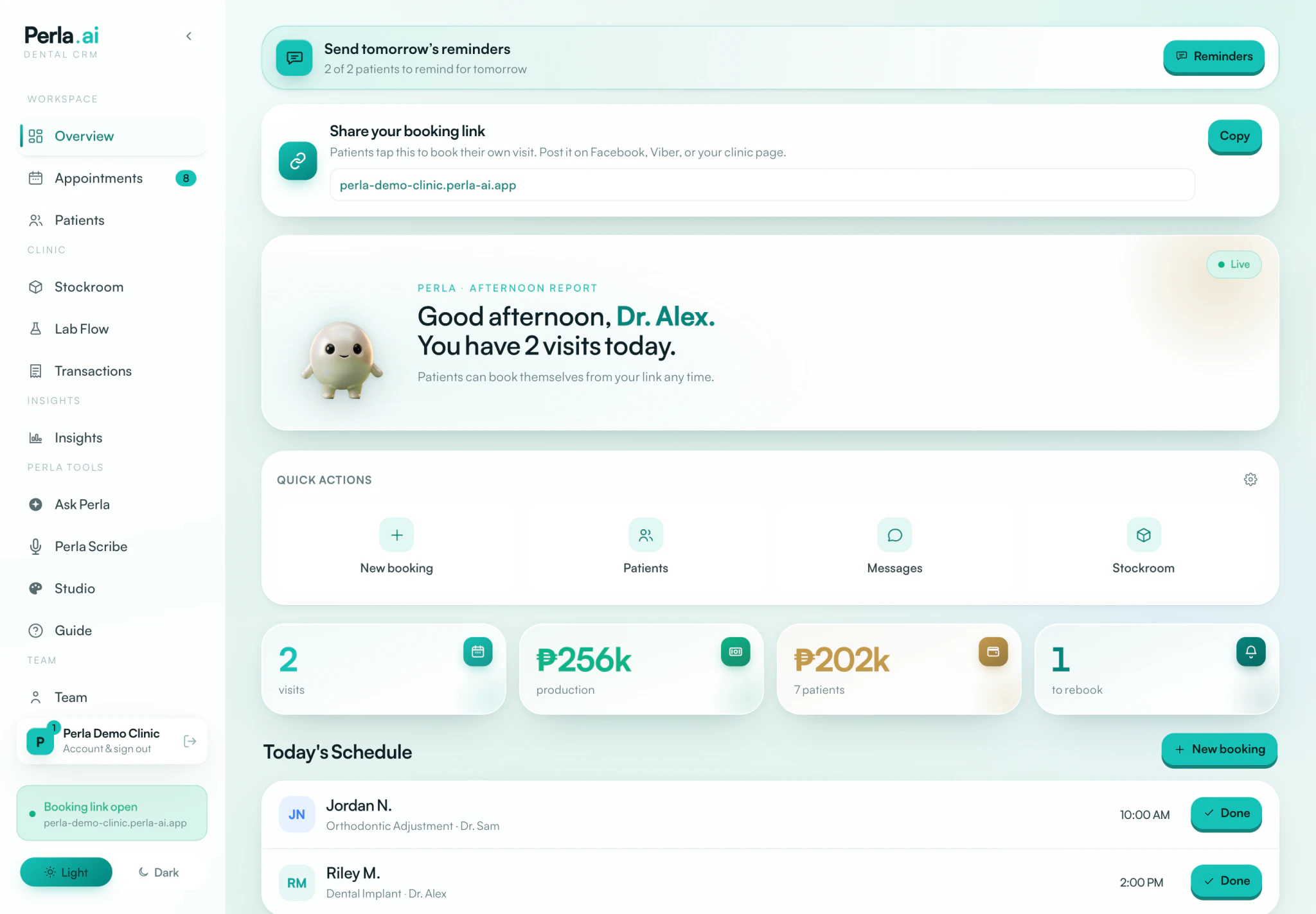
Perla overview, redrawn from the app, with fictional demo data: reminders to send, the clinic booking link, a greeting showing two visits today, quick actions and today’s schedule. Perla’s web app overview at phone width, redrawn from the app, with fictional demo data.

Here’s what each tool became.

Every screen is shown here on the page. Fictional demo data throughout.

Online booking and intake forms was the desk phone and the clipboard Patients book themselves in.

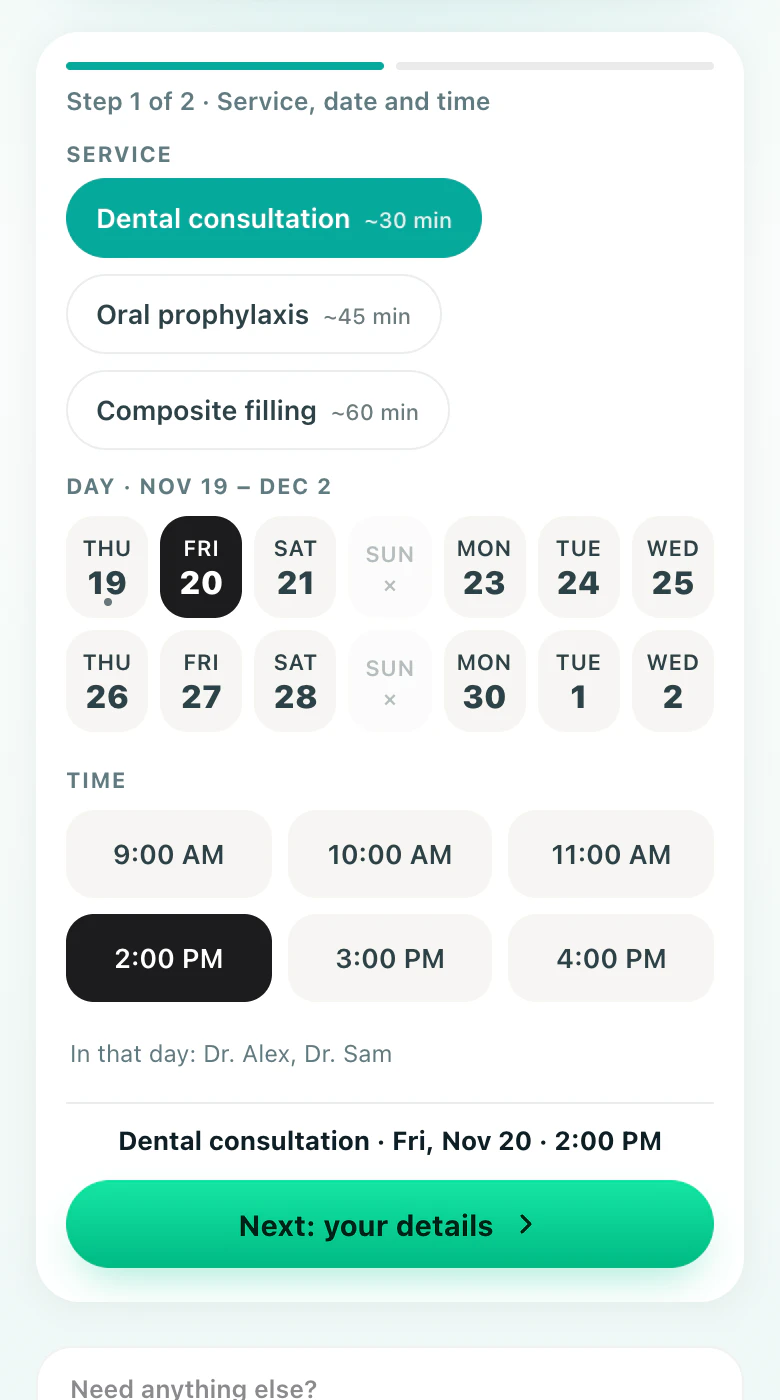
One booking link for your clinic, on a page in your colours. Patients choose a service, a day and a time from the options you set, whenever it suits them.

  • In your bio
  • As a QR
  • In a reply
  • Example booking page in the Mint colours, for Perla Demo Clinic, a fictional clinic: step 1 of 2, with a service, a day and a time picked.

    Perla Demo Clinic Mint · Booking

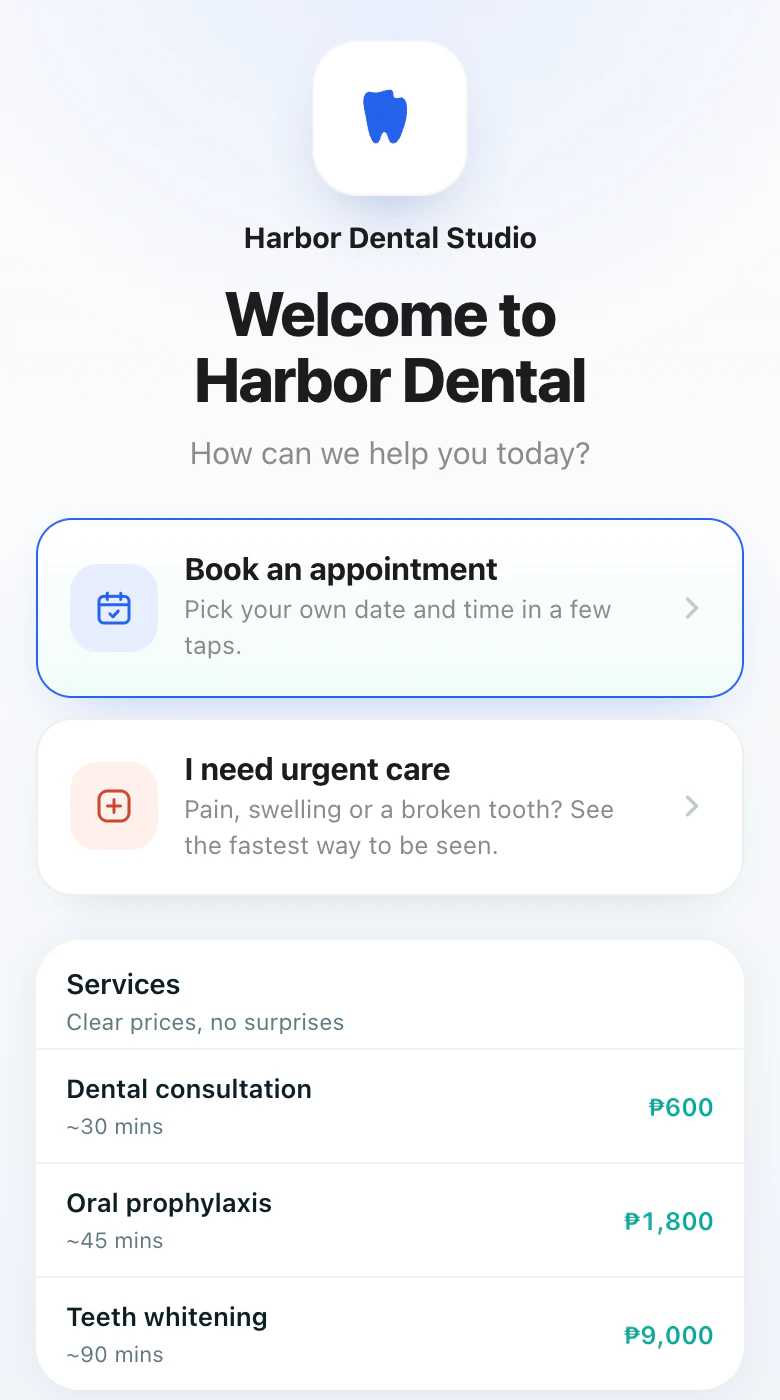
  • Example booking page in the Ocean colours, for Harbor Dental Studio, a fictional clinic: its treatments with prices, from a dental consultation to teeth whitening.

    Harbor Dental Studio Ocean · Treatments and prices

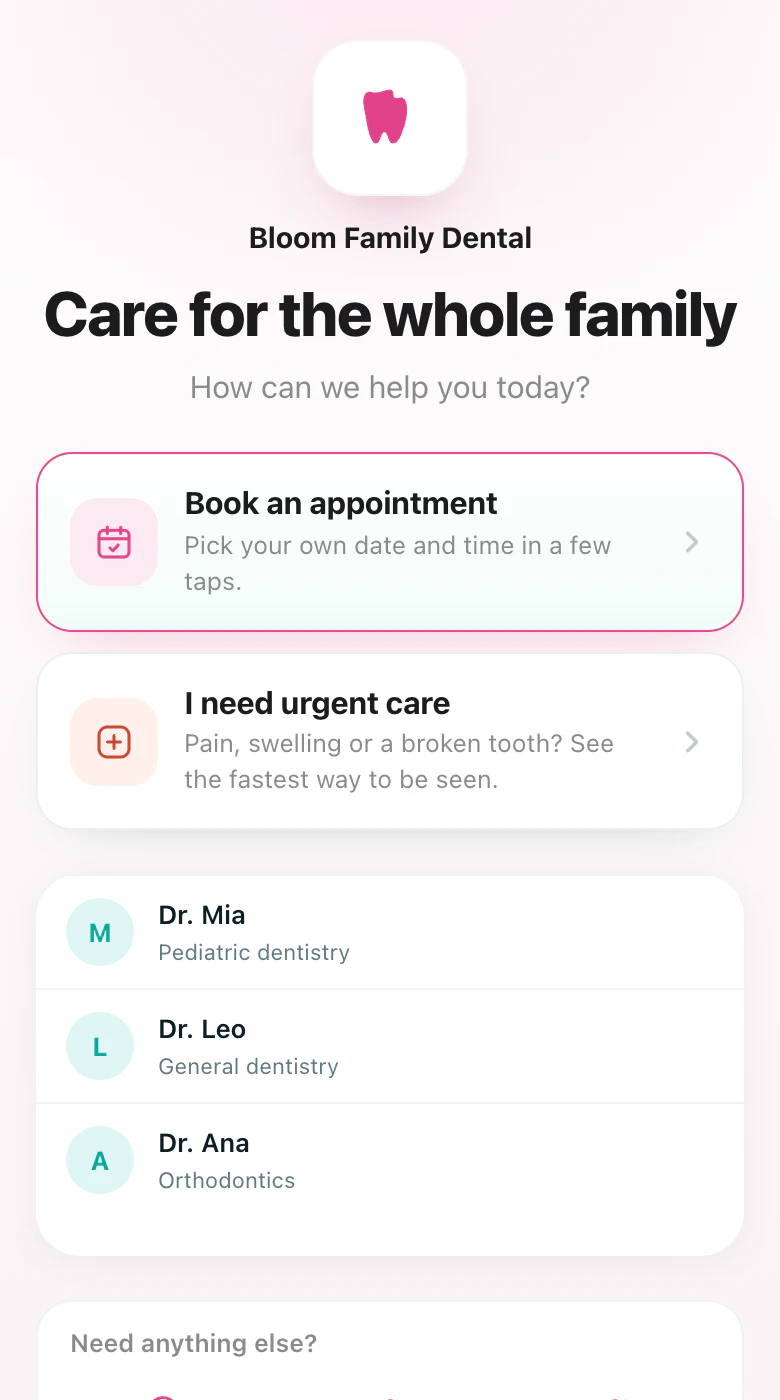
  • Example booking page in the Rose colours, for Bloom Family Dental, a fictional clinic: its three dentists and what each one does.

    Bloom Family Dental Rose · The team

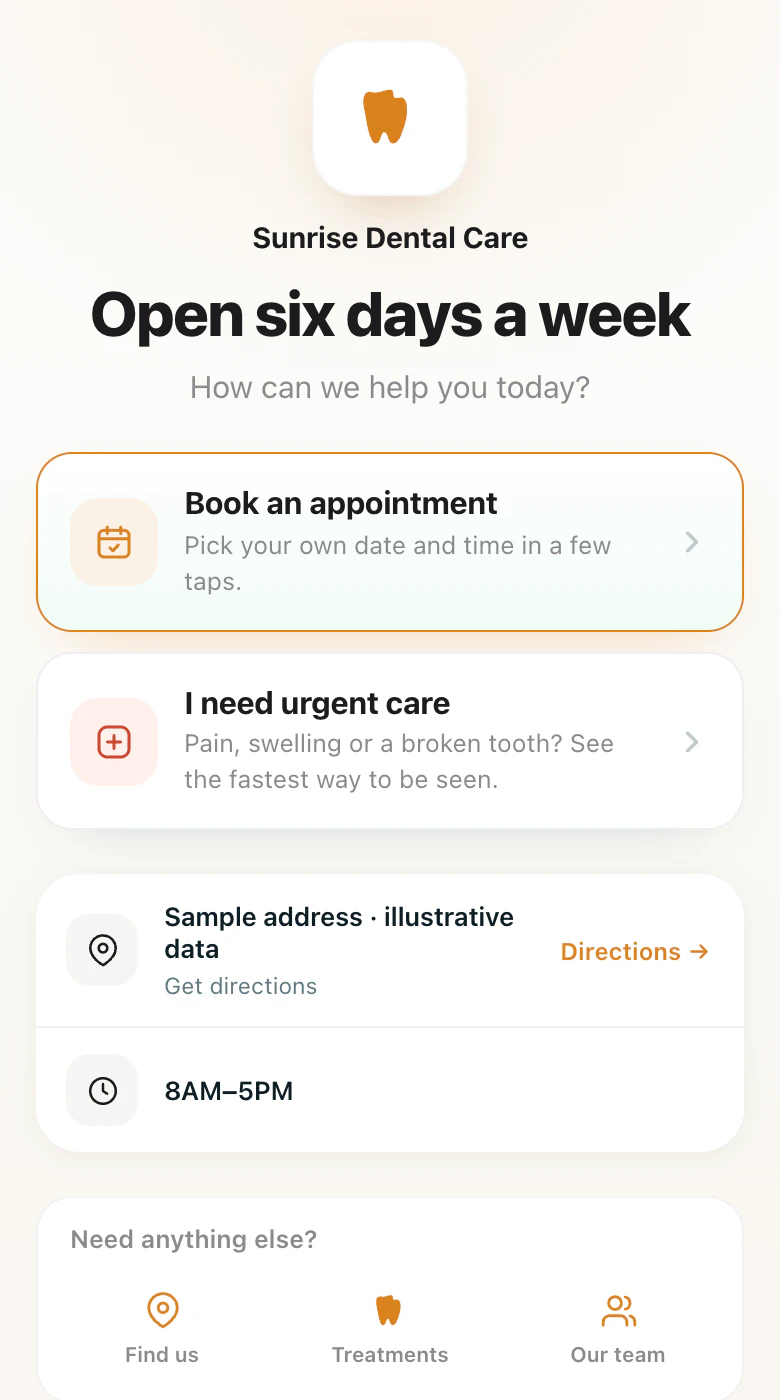
  • Example booking page in the Sunset colours, for Sunrise Dental Care, a fictional clinic: its address with directions, and its opening hours.

    Sunrise Dental Care Sunset · Address and hours

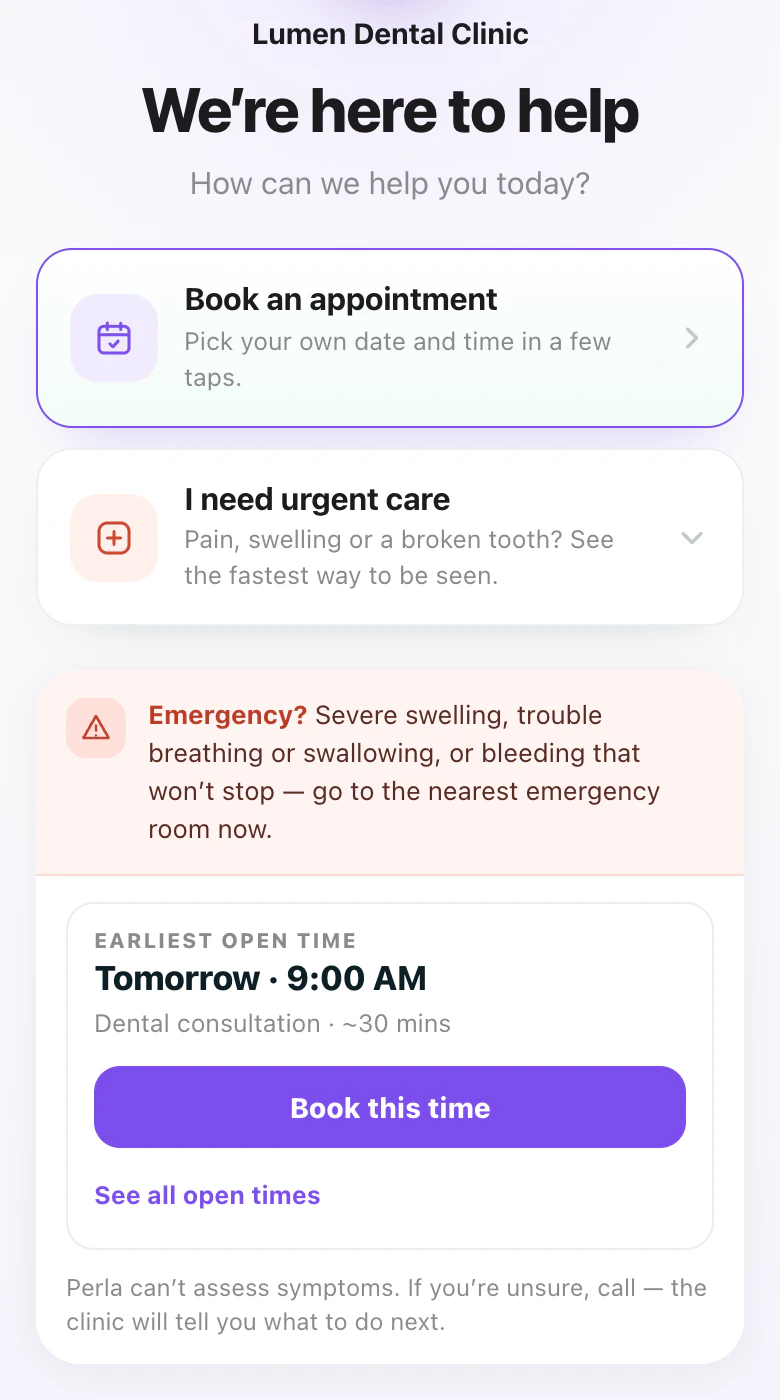
  • Example booking page in the Violet colours, for Lumen Dental Clinic, a fictional clinic: the urgent-care path, with what to do in an emergency and the earliest open time.

    Lumen Dental Clinic Violet · Urgent care

Booking pages rendered by the app Fictional clinics and data The link diagram is an illustration
  • A separate path for urgent care
  • An intake form patients can fill in before they arrive
  • Send a form from any appointment
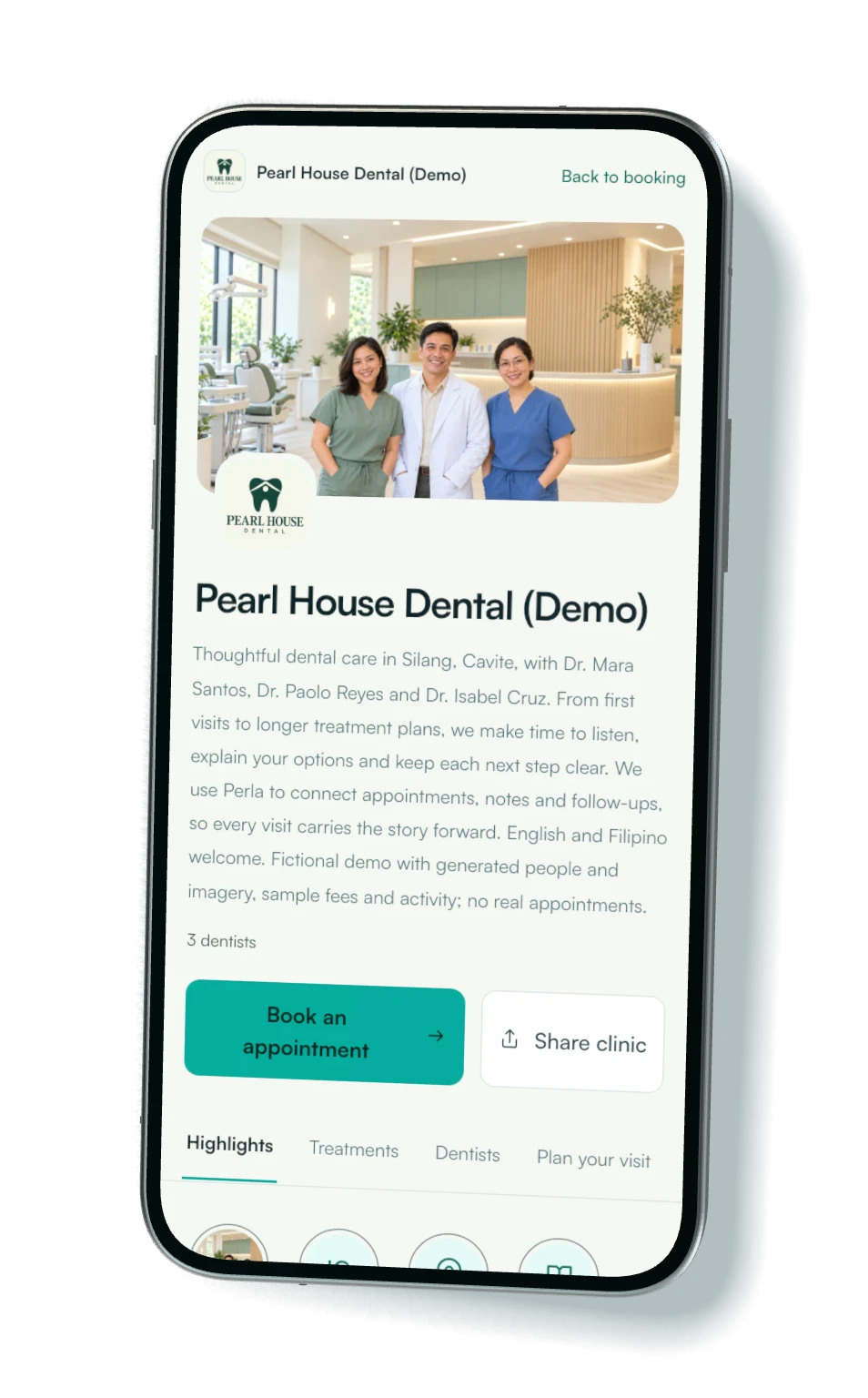
Clinic profile

Your clinic, before they book.

Share one page with your team, treatments and fees, opening hours and directions. Patients can book from the same profile.

  • Your teamA photo, a name and a few lines on each dentist.
  • Treatments and feesWhat you offer, how long it takes and what it costs.
  • Hours and directionsWhen you are open, and a link to get there.
  • BookingA Book button that stays with the page.
Open the live demo profile (opens in a new tab)
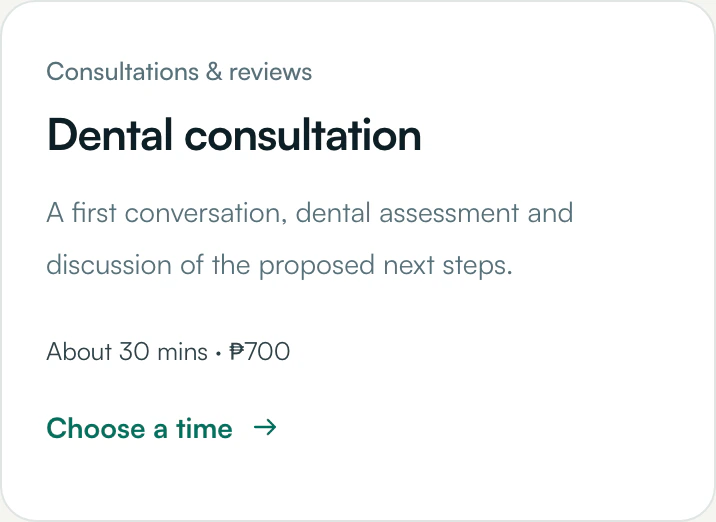
Treatments and fees
From the demo profile’s Treatments tab: Dental consultation, a first conversation, dental assessment and discussion of the proposed next steps. About 30 mins, ₱700. Choose a time.
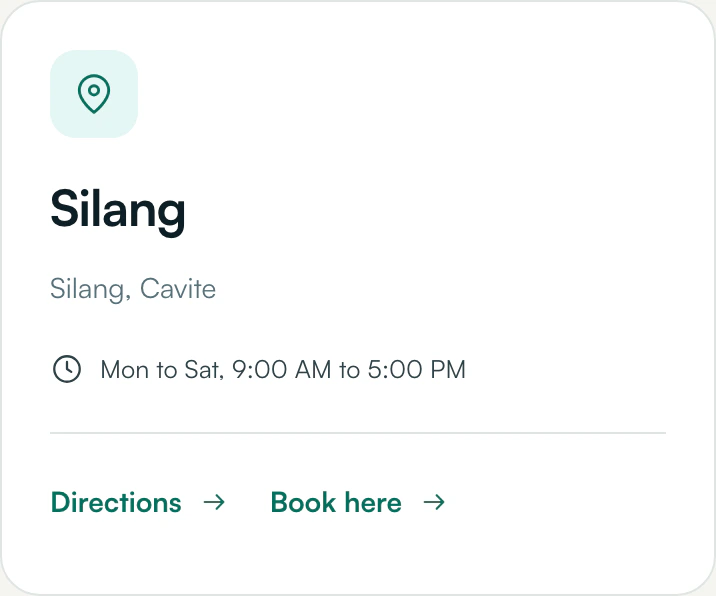
Hours and directions
From the demo profile’s Plan your visit tab: Silang, Cavite. Monday to Saturday, 9:00 AM to 5:00 PM. Links for Directions and Book here.

Captured from the live demo profile at phone size Pearl House Dental is a fictional clinic: generated people and photos, sample fees

Schedule was the appointment book The day, in order.

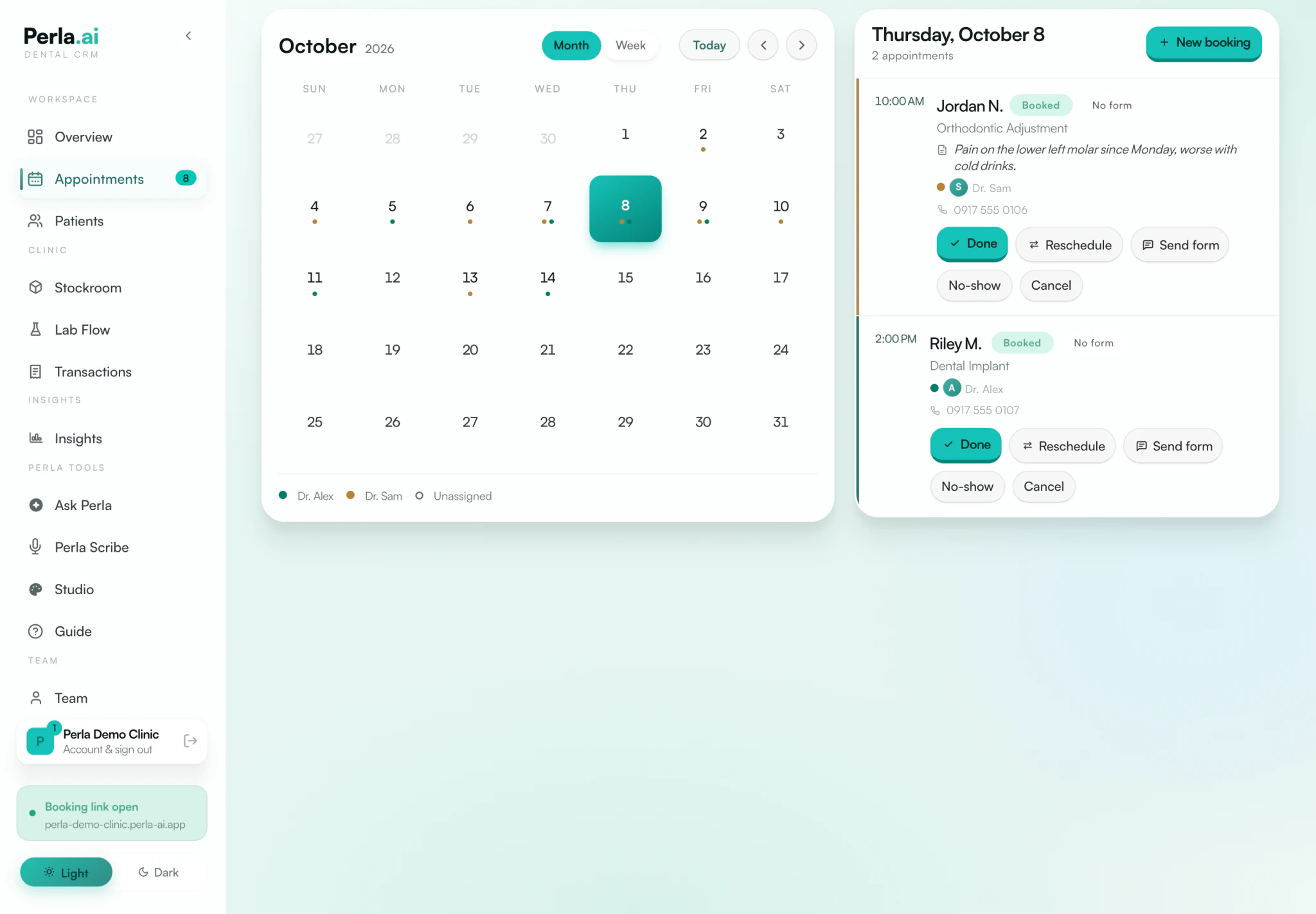
Month and week views, and beside them the day you pick: who is coming, what for, with which dentist, and whether the form is in.

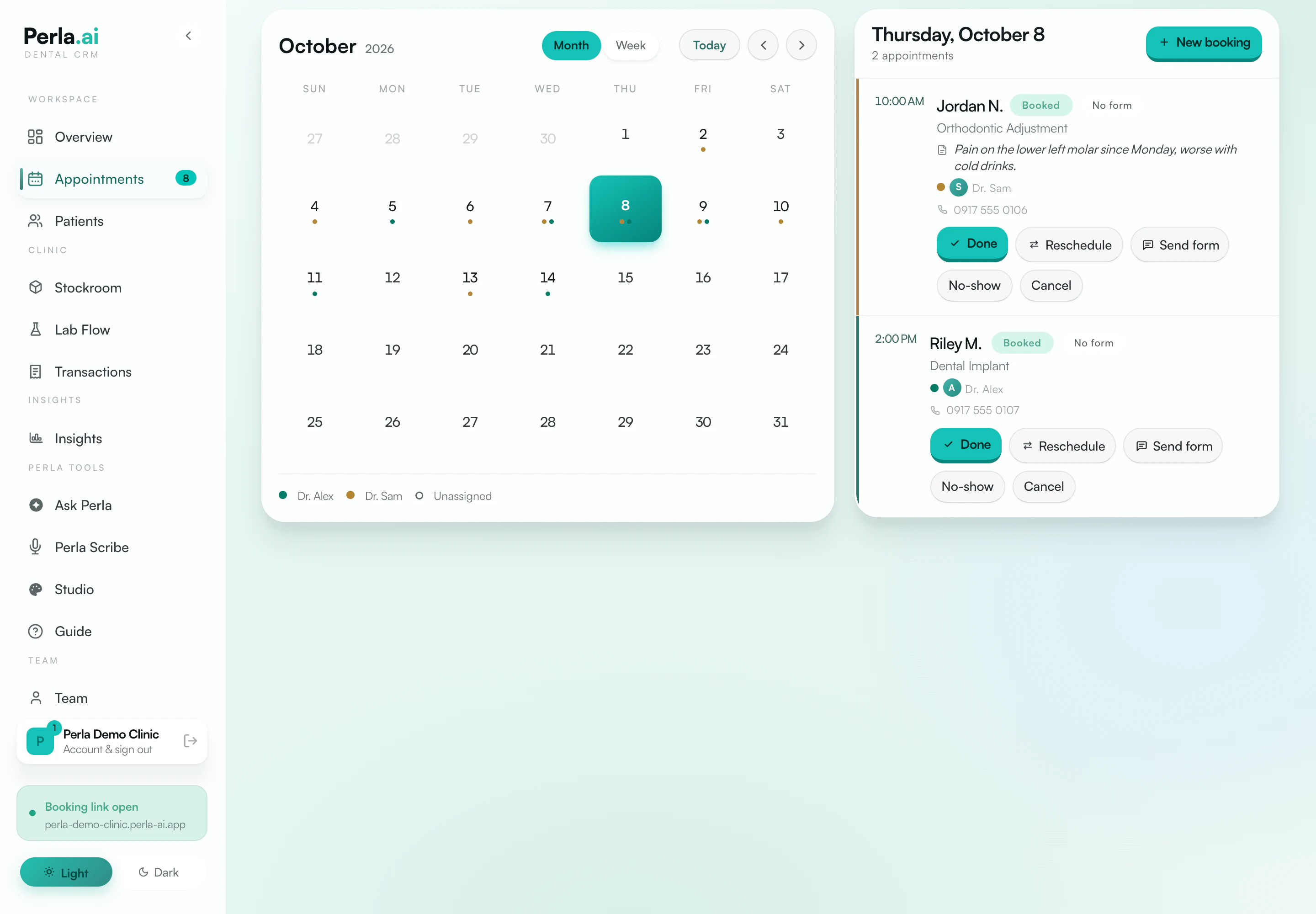
Perla appointments screen, redrawn from the app, with fictional demo data: a month calendar beside the selected day’s two appointments and their actions. Perla appointments screen, detail, redrawn from the app, with fictional demo data: Jordan N. at 10:00 AM, booked, no form yet, orthodontic adjustment with Dr. Sam and the patient’s reason for the visit, above Done, Reschedule, Send form, No-show and Cancel buttons.
Redrawn from the app Fictional demo data
  • The reason for the visit, right on the appointment
  • Done, reschedule, no-show or cancel, right on the visit
  • Visit reminders by text to Philippine mobile numbers, once you turn texts on

Records and dental charts was the patient folder and the tooth chart Tap a tooth. The chart remembers.

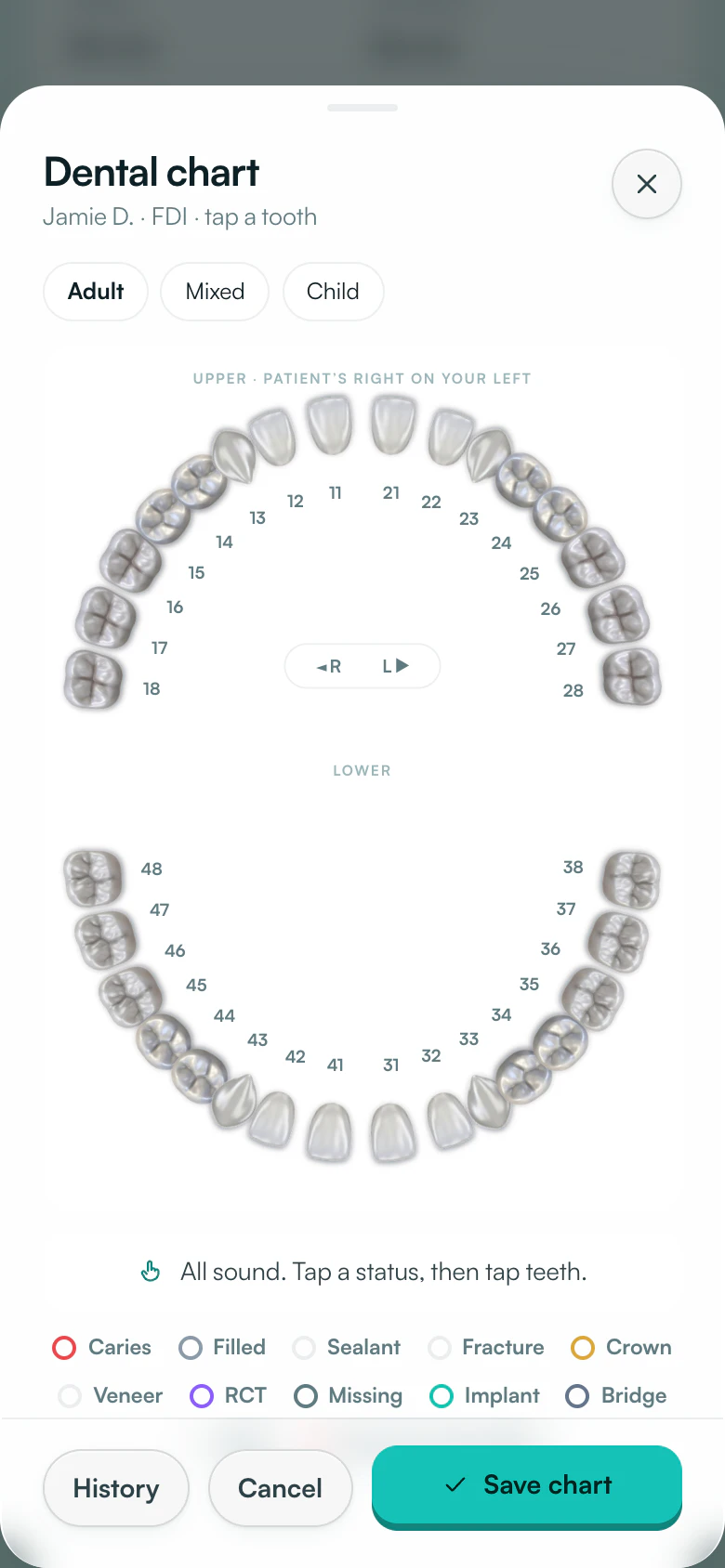
Patient records, dental charts and treatment plans live on the same patient. You fill in the chart by tapping teeth.

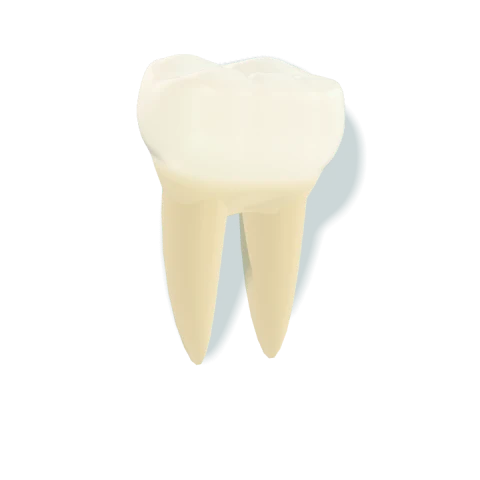
Perla’s web app dental chart at phone width, redrawn from the app, with fictional demo data: upper and lower arches of numbered teeth with Adult, Mixed and Child tabs.
Phone: Perla’s web app at phone width, redrawn Fictional demo data The tooth is an illustration
  • Adult, mixed and child charts in FDI numbering
  • Pick a status, then tap the teeth it applies to
  • History is one tap from the chart

Perla Scribe was the recorder Dictate the visit. Approve the note.

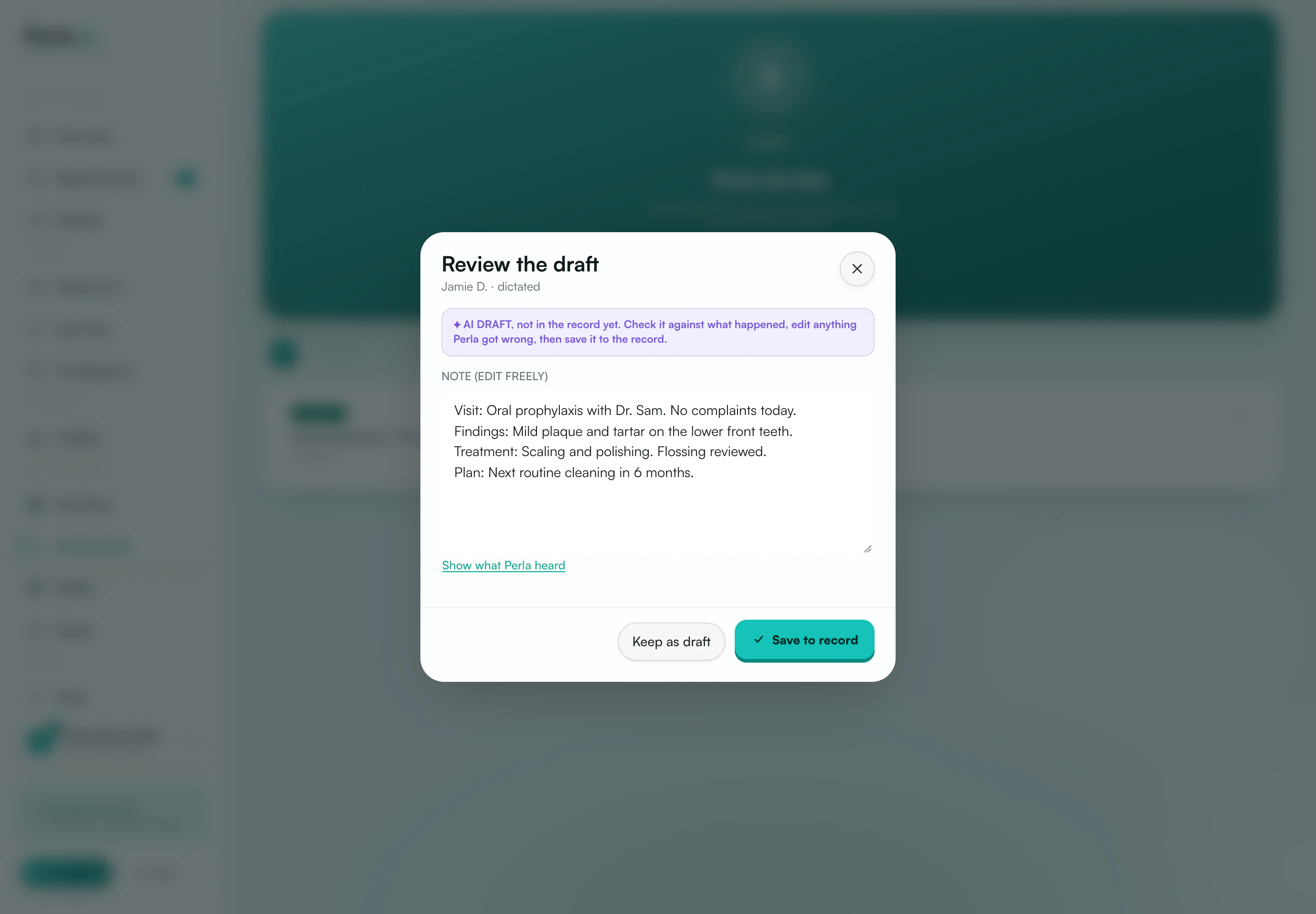
Dictate after the visit and Scribe prepares a structured treatment-note draft. It stays out of the record until a clinician reads it, corrects it and saves it.

Perla Scribe draft review, redrawn from the app, with an example note for a fictional patient: a banner reading AI draft, not in the record yet; the note’s visit, findings, treatment and plan for a cleaning; a Show what Perla heard link; and Keep as draft and Save to record buttons.
Draft review, redrawn from the app Example note, fictional patient
  • Marked as an AI draft until it is saved
  • Edit it freely, or see what Perla heard
  • Keep as draft, or save to record

Payment tracking was the calculator The tally keeps itself.

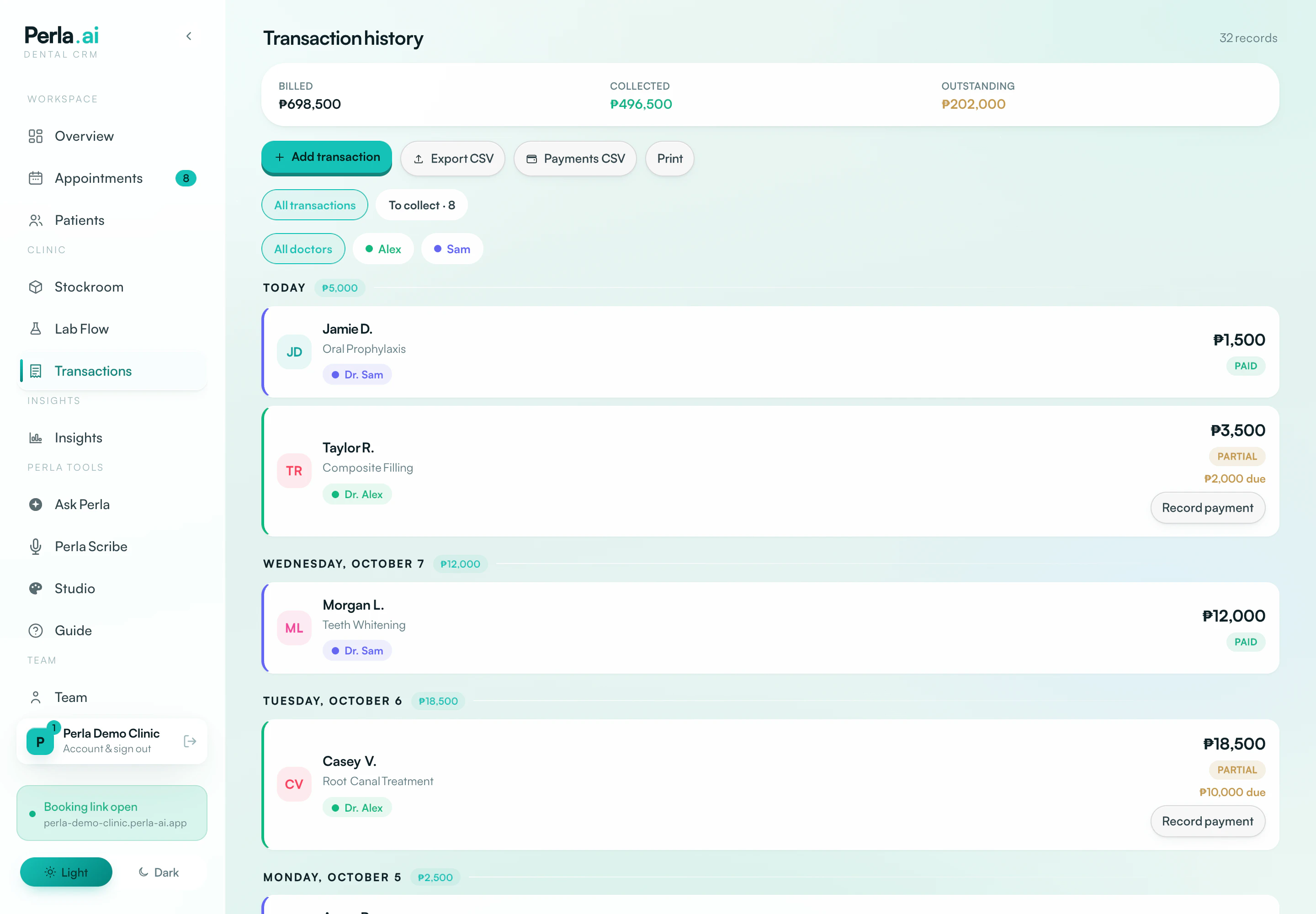
Record a payment against a visit and Perla keeps the tally: billed, collected, outstanding, and who still has a balance.

Recorded today₱5,000

Jamie D.₱1,500Paid

Taylor R.₱3,500Partial₱2,000 due

All 32 records

Billed
₱698,500
Collected
₱496,500
Outstanding
₱202,000
Illustration Figures from the demo payments screen
  • Paid and partial, with what’s still due
  • Filter by dentist, export to CSV, or print
  • Perla records payments. It does not take or hold the money.
Perla transaction history, detail, redrawn from the app, with fictional demo data: ₱698,500 billed and ₱496,500 collected; buttons for Add transaction, Export CSV, Payments CSV and Print; filters for all transactions, to collect, and each dentist; and today’s entries for Jamie D. and Taylor R.
Payments screen, redrawn from the app Fictional demo data

Team logins was the staff badge One clinic. A login each.

Each dentist and assistant signs in as themselves, and one plan covers the whole team.

  • Dr. AlexDentist
  • Dr. SamDentist
  • RobinAssistant
  • KimAssistant
Illustration Fictional names

Every part in detail

Ask Perla optional, off until you turn it on One question can look through all of it.

Ask in your own words. Ask Perla finds context in your clinic’s records, schedule and balances, for you to check against the source before you act.

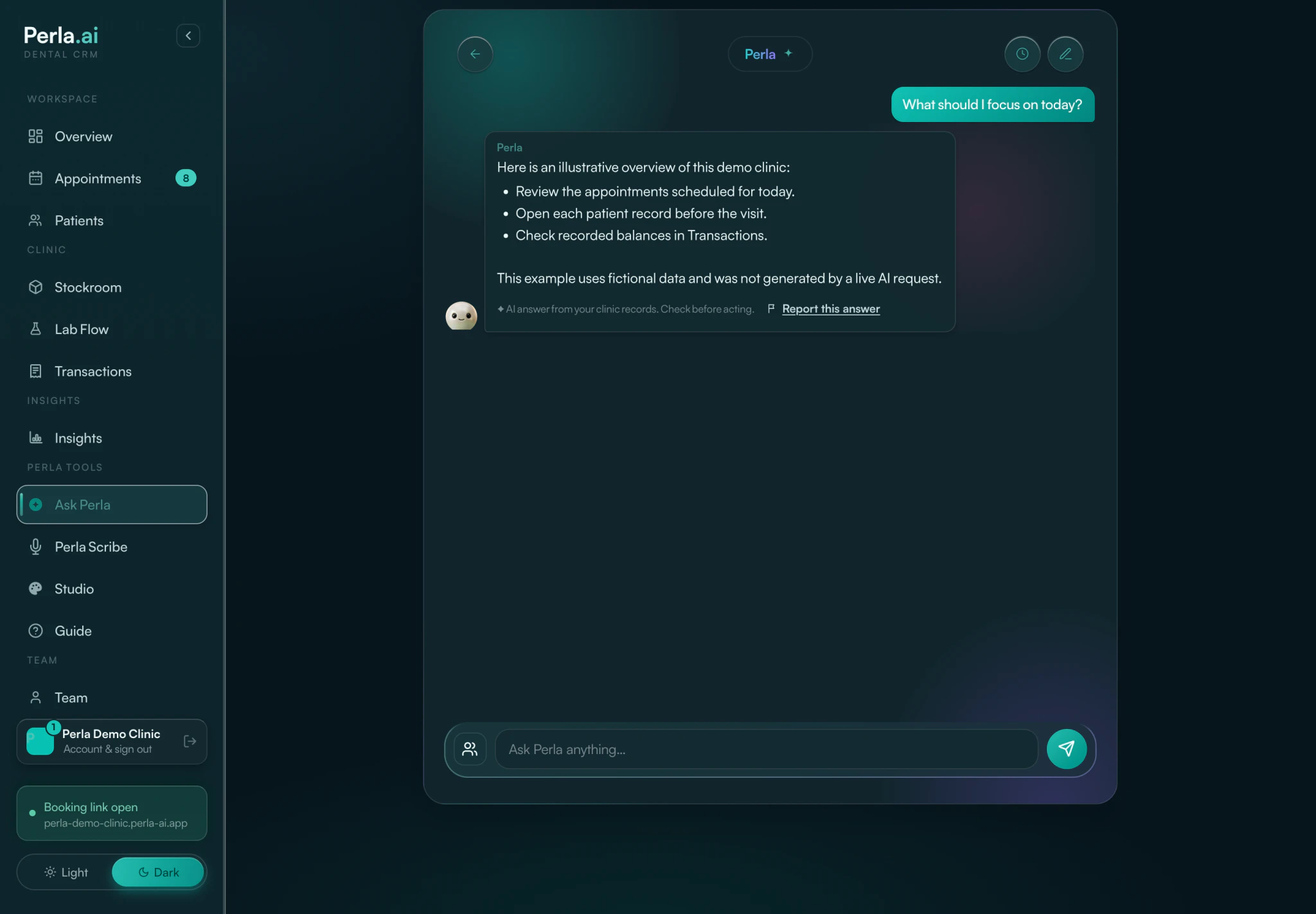
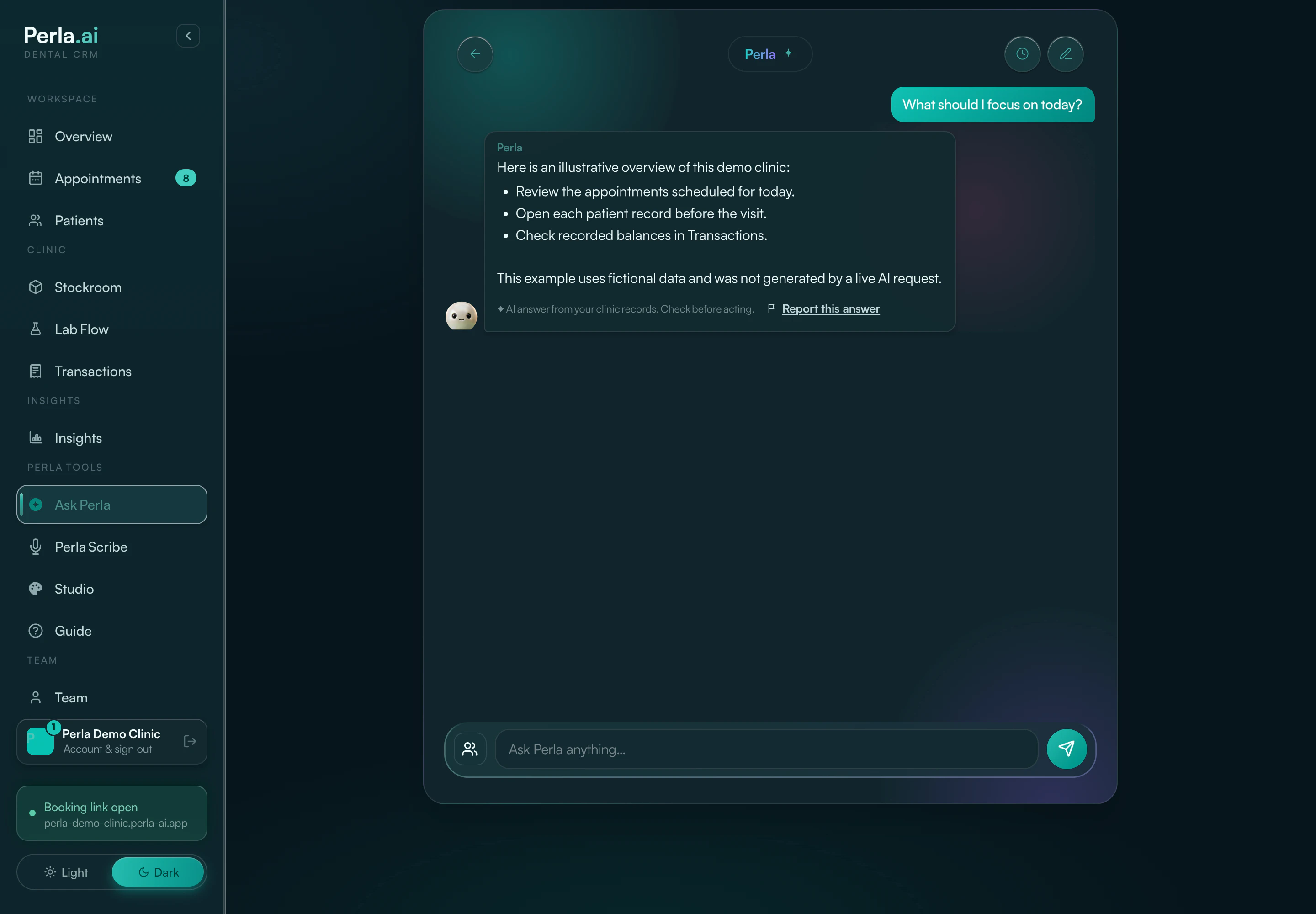
Ask Perla screen in dark mode, redrawn from the app, with fictional demo data: a question, an illustrative answer with three suggestions, and a note to check before acting. Ask Perla answer in dark mode, redrawn from the app, with fictional demo data: an illustrative answer with three suggestions, labelled as an AI answer from clinic records to check before acting.
Redrawn from the app, dark mode Fictional demo data

Where it looks

  • Overview (used for this answer)
  • Form status (not used for this answer)
  • Records (not used for this answer)
  • Payments (used for this answer)

Two visits today: Jordan N. at 10:00 AM for an orthodontic adjustment with Dr. Sam, and Riley M. at 2:00 PM for a dental implant with Dr. Alex.

₱202,000 is still outstanding across the clinic’s payment records.

Example answers Fictional demo data No AI request is made

Perla assists. Your team decides.

Nothing Perla drafts or suggests is final until a person says so. Clinicians remain responsible for clinical decisions.

  • Drafts wait for a clinician

    A Scribe note is marked as an AI draft and stays out of the record until a clinician checks it, corrects anything wrong and saves it.

  • AI stays off until you turn it on

    Ask Perla and Scribe stay off for each staff member until that person turns them on, and can be turned off again. Privacy policy

  • Perla never holds your money

    Perla records payments; it does not take them. Deposits are optional and off by default: patients pay to your clinic’s own QR details and your staff confirm it. Perla does not hold, process or auto-verify the money.

  • One clinic, one set of records

    Every clinic has its own plan and its own patient records. Texts go out, to Philippine mobile numbers, only when you turn them on.

US$28 a month. Everyone’s in.

One price covers the clinic and everyone who works in it. Start with 14 days free.

Checkout currently charges Philippine pesos: ₱1,750 a month.

  • One clinic, your whole team
  • Online booking, intake and appointments
  • Patient records, charts and treatment plans
  • Ask Perla and clinician-reviewed Scribe drafts
  • Recorded payments and balances
  • 50 GB of clinic storage
  • 50 texts a month for booking notices and reminders, to Philippine mobile numbers
  • A shared monthly AI allowance (1× Usage) for Ask Perla and Scribe

Close the lid. Go home.

Perla overview in dark mode, redrawn from the app, with fictional demo data.

Fourteen days free. Four steps to set up, from an empty workspace to your first online booking.